25

Years of experience

Gary

About Me

It doesn't take a miracle to truly enjoy what you do.
The right attitude coupled with a burning passion for working with great people are winning recipes for success.

Gary Fagerholm

Sr. Systems Administrator

Over 25 years experience in IT including M365, cybersecurity, and generative AI.

Follow me:
  • 25

    Years Experience
  • 4635

    Users Trained
  • 58

    Services
  • 2739

    Projects Pwned

My expert
areas

I've spent most of my adult years of IT in various aspects from user support to IT Director and I've learned plenty on the journey.

Two of the most important lessons I've learned is humility and people connections..

  • Figma (90%)

  • After Effect (80%)

  • Photoshop (85%)

  • XD (95%)

  • Illustrator (90%)

  • Indesign (75%)

  • 2021-Present Bauen Software Inc.

    Product Designer

  • 2020 - 2021 Bauen Software Inc.

    UX Designer

  • 2018 - 2020 Bauen Software Inc.

    UI Designer

  • 2016 - 2018 Bauen Software Inc.

    Web Designer

  • 2021 - Present Stanford Univercity

    Web Design Course

  • 2020 - 2021 Art Univercity of New York

    Art Director Course

  • 2018 - 2020 Amazon College

    IOS Development

  • 2017 - 2018 Univercity of Texas

    UX Expert

Services
I Provide

  • 01

    M365

    When technology evolves, so should we!

    M365 – AAD Migration Management:

    Migration management is a complex beast, but I’ve learned plenty in my years of wrangling these suckers.

    Knowing what tools to utilize to save time and onboard properly to communicating proper tactics that keep everyone aligned.

    When technology evolves, so should we!

  • 02

    GenAI

    Expanding your capabilities.

    GenAI:ย GenAI is growing but not enough IT folks are growing with it, or better yet leading the charge.

  • 03

    CyberSecurity

    Specializing in migration management.

    Cyber-Security:

    Professional IT services with expertise in M365, cybersecurity, compliance, generative AI, Azure Active Directory, Teams, SharePoint, and Microsoft CoPilot.

    Specializing in migration management.

  • 04

    Team Leadership

    Lead with vision, inspire with action.

    Team Leadership:

    Leadership is more than just managing projects and tasks.

    It’s about pioneering innovation and guiding your team through the tech jungle!

    Lead with vision, inspire with action.

Check out
recent projects

From my
blog post

  • Hi โ€” Iโ€™m the creator behind this guide and Iโ€™m glad youโ€™re here. I made a video on generative AI and Iโ€™m unpacking those ideas in this post so you can read, absorb, and apply them. As someone whoโ€™s watched technology evolve from floppy disks and dial-up to smartphones and cloud platforms, I want to show you why generative AI matters right now and how it connects directly to things we all worry about, like cybersecurity. Iโ€™ll walk you through the fundamentals, the real-world use cases, the tools I recommend, and the security habits you should adopt to protect yourself and your organization.

    Table of Contents

    ๐Ÿš€ Why Generative AI Feels Like the Next Logical Step

    I remember when a 56k modem felt blisteringly fast. We managed away messages, learned early chat rooms, and slowly embraced web-based tools. That same curve โ€” initial awkwardness followed by mastery โ€” is happening again with generative AI. This is not sci-fi magic; itโ€™s pattern recognition applied at an unprecedented scale. At the center of it are foundation models and transformer architectures that predict language and image elements based on massive datasets.

    When you understand generative AI in those terms โ€” statistical pattern recognition on steroids โ€” the mystique fades. Youโ€™ll see it behave like a supercharged autocomplete that can draft a document, produce an image, or prototype code. Because the underlying behavior is prediction and pattern application, the same instincts that helped us learn early software interfaces apply here, and thatโ€™s why I believe most professionals can adopt these tools quickly.

    ๐Ÿงญ How This Technology Really Works (Without the Jargon)

    I like to explain complex tech the same way I explain a new appliance: what it does, how I use it, and where the knobs are. Generative AI is software trained on huge swaths of text and images. It learns structure, relationships, and common patterns. When you prompt it, it generates content that aligns with those learned patterns.

    Here are the core elements in plain language:

    • Foundation models โ€” Large models trained on internet-scale data.
    • Transformers โ€” The model architecture that helps it weigh context and predict what comes next.
    • Prompting โ€” The process of giving an AI a clear instruction or question; your prompts are the interface.
    • Output โ€” The generated text, image, or code that the system returns.

    Think of it as a very well-read intern who has digested a ton of information and now helps you draft content, debug code, or summarize meetings. The intern is fast and tireless, but still needs your guidance and final approval โ€” especially when it comes to compliance, domain accuracy, and cybersecurity considerations.

    ๐Ÿค– Why Generative AI Is a Career Accelerator

    Letโ€™s be honest: the fear of being replaced is real. But Iโ€™ve seen a different story in practice. People who pair deep domain experience with generative AI become far more productive and valuable. You still bring judgment, context, negotiation skills, and political savvy. The AI handles the grunt work.

    Examples I use all the time:

    • Drafting status reports that used to take hours.
    • Summarizing meeting recordings into crisp action items.
    • Creating standardized operating procedures in a fraction of the time.
    • Using code assistants to accelerate development cycles and translate between languages.

    In short, you move from spending time on repetitive tasks to focusing on strategy, relationships, and high-impact decisions. That shift is the core of career acceleration: delivering higher quality work faster and spending more time where your experience matters most.

    ๐Ÿ’ผ Practical Tools and a Sensible Starting Point

    If youโ€™re ready to start, the toolbox can feel overwhelming. Hundreds of apps claim to be essential, and tech blogs publish endless ranked lists. I recommend a pragmatic approach: start with a single interface that gives you access to multiple large language models (LLMs). That strategy saves money, simplifies management of prompts and templates, and lets you mix models for different tasks.

    Hereโ€™s how I would begin โ€” the path I use with teams and learners:

    1. Pick a single, reputable interface that supports multiple LLMs and lets you store prompt templates.
    2. Identify a few repetitive tasks you do weekly (reports, meeting notes, SOPs) and create templates for them.
    3. Set aside short time blocks to iterate and refine prompts โ€” aim for gradual improvement, not perfection.
    4. Document successful prompts and outputs in one place so you and your team can reuse them.

    This approach reduces subscription costs, minimizes context-switching, and builds a library of reusable workflows โ€” all while keeping the learning curve gentle.

    ๐Ÿ› ๏ธ Real-World Examples That Save Time

    Iโ€™ll give you concrete examples that I use or recommend. These are repeatable and scale to team settings.

    Meeting Summaries and Action Items

    Recording a meeting and dropping the audio into an AI tool can yield a complete summary and concise action items. I typically run the transcript through a model and then make two passes: one to extract decisions and owners, and another to polish the language.

    Standard Operating Procedures (SOPs)

    I used to spend days writing SOPs with perfect formatting. Now I use a prompt template: describe the process step-by-step and ask the model to format it into sections, roles, tools required, and troubleshooting tips. I usually spend less than an hour polishing what the model produces.

    Emails and Client Communication

    Drafting routine client updates becomes a few prompt-response cycles. I give the model the key points and a desired tone; it drafts the email, I tweak the details, and weโ€™re done. That saves mental energy and ensures consistent messaging.

    Code Assistance

    Tools like GitHub Copilot are game-changers when you need to prototype or translate code. They donโ€™t replace a thoughtful review, but they can cut development time significantly. Pairing human review with the model speeds up iteration and reduces simple errors.

    ๐Ÿ”’ Security, Privacy, and Cybersecurity โ€” Donโ€™t Skip This

    Hereโ€™s where I get serious: cybersecurity and proper data handling matter. These tools are powerful, but they can leak sensitive data or learn from inputs in ways that arenโ€™t obvious. I cannot stress enough that you must treat public LLMs like public bulletin boards when it comes to confidential information.

    Top-level cybersecurity rules I follow and teach:

    • Never paste proprietary or personally identifiable information (PII) into public models.
    • Use sanitized or paraphrased examples when youโ€™re learning or experimenting.
    • Adopt enterprise models or private deployments for sensitive workflows when available.
    • Insist on audit logs and data retention policies from any third-party tool you adopt.
    • Coordinate with your IT and cybersecurity teams before integrating AI into production systems.

    Let me say it plainly: cybersecurity is not an optional add-on. If your company is still figuring out an AI policy, you need to be conservative in what you expose to external services. I always recommend a gradual adoption approach that starts with low-risk tasks and moves toward more integrated workflows only after governance and cybersecurity controls are in place.

    Because AI models are trained on vast datasets, they sometimes reflect biases or hallucinate facts. Thatโ€™s why I treat model outputs as drafts, not final answers. I confirm critical facts and use my domain knowledge to check for accuracy. And when security or compliance is on the line, I err on the side of manual verification and tighter controls.

    โš™๏ธ Practical Cybersecurity Steps for Everyday AI Use

    Below are specific, tactical steps you can take today to balance productivity gains with robust cybersecurity practices:

    • Use role-based accounts for any AI tool and avoid personal logins for business use.
    • Enable multi-factor authentication (MFA) wherever possible.
    • Keep your prompt templates free of company secrets or client PII.
    • Use synthetic or anonymized data for training internal models or testing prompts.
    • Review service terms for data handling and model retention clauses.
    • Keep an inventory of all AI tools in use and the types of data each one sees.

    If you build this habit, youโ€™ll keep reaping the productivity benefits of generative AI while minimizing your exposure to cybersecurity risks.

    โœ… Gradual Adoption: A Practical Roadmap

    For seasoned professionals like us, gradual adoption works best. You donโ€™t need to rewrite your role overnight. Hereโ€™s my step-by-step plan that I recommend to students and colleagues:

    1. Week 1: Pick one low-risk repetitive task to automate with AI (meeting notes, email drafts).
    2. Week 2: Build a prompt template and iterate until you consistently get usable outputs.
    3. Week 3: Share the template with a small group and collect feedback.
    4. Week 4: Document the workflow and add rudimentary cybersecurity rules (no PII, use anonymized data).
    5. Month 2โ€“3: Expand to more tasks like SOP generation and client-facing drafts, and collaborate with IT on governance.

    This approach minimizes disruption, builds confidence, and keeps cybersecurity in the loop. Over a couple of months youโ€™ll have a library of templates and workflows that save hours each week.

    ๐Ÿ” Common Misconceptions and Honest Limits

    We need to clear up a few myths so you donโ€™t waste time chasing hype:

    • AI does not replace judgment. It amplifies your ability to execute, but it cannot replace strategic thinking or interpersonal skills.
    • You donโ€™t need a computer science degree. I promise โ€” natural language prompts and practical templates are often enough to get massive gains.
    • Models can be confidently wrong. Always verify outputs, especially for client-facing or regulatory content.
    • Not all tools are equal. Pick a reliable, known vendor and consider an interface that supports multiple LLMs to stay flexible.

    Remember: the goal is to be pragmatic. Use models where they save time and add consistency, and rely on human oversight for nuance, ethics, and cybersecurity.

    ๐Ÿ“ˆ Measuring Impact: How to Know Itโ€™s Working

    Youโ€™ll want to measure the return on the time you invest in adopting generative AI. I recommend tracking a few simple metrics:

    • Time saved on repetitive tasks (hours per week).
    • Number of templates created and reused across the team.
    • Reduction in turnaround time for deliverables (days to hours).
    • Qualitative feedback from stakeholders on clarity and usefulness of outputs.
    • Incidents or near-misses related to cybersecurity or data leakage.

    Pair these metrics with regular reviews. If you spot any cybersecurity concerns, pause new integrations and work with your security team to remediate before scaling further.

    ๐Ÿ“š My Favorite Prompts and Templates

    To get you started, here are a few prompt templates I use repeatedly. I store them in a single interface so I can reuse and refine them. Remember: never include sensitive client data in these prompts.

    • Meeting Summary: “Summarize this meeting transcript into a 2-paragraph recap, list action items with owners, and highlight any risks to project timeline.”
    • SOP Generator: “Create a standard operating procedure for [process name]. Include purpose, scope, step-by-step instructions, roles and responsibilities, tools needed, and troubleshooting tips.”
    • Email Draft: “Write a 3-paragraph professional update email to [client/stakeholder] summarizing progress, next steps, and any asks. Keep tone friendly and concise.”
    • Code Translation: “Translate the following Python function to JavaScript and explain any language differences that affect behavior.”

    These templates reduce cognitive load and promote consistent outputs. They also act as a safety buffer: when the prompt is clear, the model returns more predictable results, and you can better evaluate cybersecurity risk because you’re controlling the input.

    ๐Ÿ’ก The Balance Between Innovation and Responsibility

    I love the possibilities of generative AI. I also appreciate how easily it can go wrong if you ignore governance and cybersecurity. Thatโ€™s why my approach is always balanced: move quickly on low-risk productivity wins, and move carefully when sensitive data or regulatory obligations are involved.

    “It’s like having a research assistant who never sleeps, never takes vacation days, and never complains about working overtime.”

    That quote sums up the upside โ€” but remember the assistant is imperfect. You are still the person who makes decisions, exercises judgment, and ensures that cybersecurity standards are met.

    ๐Ÿ” Mix-and-Match LLMs โ€” A Smart, Cost-Saving Strategy

    One of the best strategies I recommend is to use a single control plane that lets you switch between LLMs depending on the task. Some models are cheaper and great for drafting; others are costly but deliver higher factual accuracy or specialized knowledge. This mix-and-match approach does two things: it controls costs and it lets you tailor outputs to the problem at hand without juggling multiple subscriptions.

    Combine that with prompt templates in one place and youโ€™ve got a powerful productivity stack thatโ€™s also easier to govern from a cybersecurity and compliance perspective.

    ๐Ÿงญ Final Thoughts: Why Now Is the Best Time to Learn

    Weโ€™ve adapted to every major tech shift for decades. This time, we donโ€™t have to be behind the curve. With the right approach, generative AI becomes the tool that leverages your experience rather than replaces it. I encourage you to adopt a gradual plan, focus on measurable wins, and keep cybersecurity at the center of every step.

    If you walk away with one idea: start small, protect data, and build a library of reliable prompts. Over time, youโ€™ll be producing higher-quality work faster and focusing on the strategic parts of your role. Thatโ€™s not just keeping up โ€” thatโ€™s setting the pace.

    โ“ Frequently Asked Questions (FAQ)

    Q: Do I need a computer science degree to use generative AI?

    No. I used plain language throughout this guide because most practical AI tasks rely on clear prompting and workflow design, not advanced math. For most productivity and content tasks, a willingness to iterate and a few good templates are enough.

    Q: How should I handle cybersecurity when using AI tools?

    Follow conservative rules: never paste PII or proprietary information into public models, enable MFA, use role-based accounts, and coordinate with your cybersecurity or IT teams before integrating AI into production. Treat public models like public forums โ€” if itโ€™s sensitive, donโ€™t share it there.

    Q: Which tools should I start with?

    Start with a single interface that supports multiple LLMs and stores prompt templates. Include a code assistant like GitHub Copilot if you work with code. For text drafting and summarization, mainstream LLM providers are fine as long as you follow cybersecurity best practices.

    Q: How do I measure the impact of adopting generative AI?

    Track time saved, the number of reusable templates created, turnaround time improvements, stakeholder feedback, and any cybersecurity incidents. These metrics tell you whether the adoption is delivering real value and whether you need to adjust governance.

    Q: What are the biggest risks to watch for?

    Data leakage, hallucinations (confident but incorrect outputs), and implicit bias. Keep human oversight, especially for compliance-sensitive content, and work with your cybersecurity team to monitor and manage risk.

    Q: Will AI take my job?

    Not if you play it smart. AI amplifies capability; it rarely replaces judgment, relationships, or deep domain expertise. People who learn to pair AI with their experience will become more valuable, not less.

    Thanks for reading. Remember: cybersecurity should be a part of every AI conversation. Start small, be curious, and protect the data youโ€™re responsible for. If you follow those principles, generative AI will be a career accelerator โ€” not a threat.

    Find Me on LinkedIn

    Always here to help


    Click me
  • How Generative AI Transformed My Careerโ€”and How It Can Transform Yours Too

    Featured

    What if I told you that getting replaced by an AI kiosk was the best thing that ever happened to my volunteer workโ€”and ultimately, my career? My name is Gary, and after decades in IT across industries like defense, finance, and medical manufacturing, I experienced firsthand how generative AI is not just a threat but a powerful force reshaping the future of work. This is my story of losing a simple greeting role to AI but gaining something far more meaningfulโ€”and why I believe this transformation offers hope and opportunity for anyone navigating the AI revolution.

    In this article, Iโ€™ll share what I learned about the impact of AI on jobsโ€”especially entry-level positionsโ€”the unique advantages experience gives us, and the soft skills that will make you indispensable in an AI-driven world. Whether youโ€™re worried about AI stealing your job or curious about how to thrive alongside it, this piece will offer practical insights and a mindset shift that could change everything.

    Table of Contents

    ๐Ÿค– The AI Kiosk That Changed Everything

    It happened on a quiet Sunday morning at church. For a year, my wife and I had volunteered as greeters in the childrenโ€™s section, welcoming families, helping kids check in for Sunday school, printing name tags, and making sure no one felt lost. It wasnโ€™t glamorous work, but it mattered. We connected with families, remembered names, and shared smiles that helped parents feel at ease.

    Then one Sunday, we arrived to find sleek black kiosks replacing our stationsโ€”touchscreens with automatic check-ins and name tag printers. Families tapped away effortlessly, and the volunteer coordinator cheerfully explained how the new system was faster, more accurate, and eliminated errors.

    In that moment, I felt the sinking realization: a machine could do my job better than I could. The kiosk never forgot room assignments, never misspelled names, and never got overwhelmed by a crowd. If my wifeโ€™s warm smile couldnโ€™t compete, what hope did I have in my day job?

    But rather than being pushed aside, I was moved to a new roleโ€”teaching second graders. Suddenly, I was doing work that no AI could replicate: offering patience to a child having a meltdown, creativity to explain complex ideas, and emotional support to a shy kid needing encouragement. That change opened my eyes to a much larger story happening in the workforce today.

    ๐Ÿ“‰ The Brutal Reality of AI and Entry-Level Job Loss

    AI isnโ€™t just knocking on the door of the job marketโ€”itโ€™s already broken it down. Entry-level jobs, especially, are disappearing at an alarming rate. The numbers are brutal and real:

    • Data entry clerk hiring dropped by 56% at companies using AI form processing tools.
    • Call centers using AI voice assistants filled 41% fewer job openings for agents.
    • E-commerce companies with over 200 employees cut 36% of live support roles to AI chatbots.
    • Fast food chains using AI kitchen systems eliminated 31% of entry-level kitchen positions.
    • Law firms using AI document review software reduced paralegal support roles by 22%.
    • Manufacturing plants cut manual quality control jobs by 42% with AI inspection systems.

    For new graduates, this is a cruel Catch-22: you need experience to get a job, but the jobs that traditionally provided that experience are disappearing faster than you can apply. The traditional career ladder isnโ€™t missing a few rungs; itโ€™s been knocked over entirely. Meanwhile, interview fatigue and ghost job listings add insult to injury.

    The geographic divide makes things even tougher. Urban areas see 38% of job postings requiring AI skills, while rural regions only hit 14%. Opportunities are clustering where tech companies and investment thrive, leaving rural communities behind.

    The World Economic Forum predicts AI will replace 85 million jobs by 2025โ€”thatโ€™s this year. McKinsey reports 14% of workers globally will need to change careers by 2030 due to AI advances. These arenโ€™t distant predictions; theyโ€™re happening right now.

    ๐ŸŒฑ But Itโ€™s Not All Doom and Gloom: The Rise of New Opportunities

    Despite the staggering job losses, displacement doesnโ€™t mean total destruction. While some roles vanish, others emerge. For example:

    • Marketing assistant roles dropped 31%, but AI content specialist roles jumped 23%.
    • For every 10 jobs automation eliminated in 2025, 6.7 new jobs appeared in emerging AI fields.
    • AI created 1.6 million jobs globally in AI operations and data roles in 2025, even as it displaced 2.1 million.

    Work isnโ€™t disappearing; itโ€™s transforming. The routine and repetitive tasks are being automated, freeing humans to focus on complex, creative, and relational work. This shift is happening across industriesโ€”from retail to IT help desks, from fast food to legal services.

    ๐Ÿง  Why Generation X is Uniquely Positioned to Thrive

    While millennials get the spotlight and Gen Z dominates TikTok, Generation Xโ€”the often-called “forgotten generation”โ€”may have a hidden superpower: experience. We are the ones uniquely positioned to thrive in this AI world, and hereโ€™s why:

    • Weโ€™ve adapted through multiple tech revolutionsโ€”from green text screens and dial-up to cloud computing.
    • We understand how businesses work beyond softwareโ€”navigating politics, managing vendors, and reading between the lines.
    • We possess judgment, strategic thinking, and relationship-building skills that AI canโ€™t replicate.

    Younger workers may use AI tools more often, but using tools isnโ€™t the same as using them strategically. Our years of experience give us the wisdom to apply AI thoughtfully and maintain the human touch that machines canโ€™t provide.

    Research shows workers aged 18-29 face a 19% higher displacement rate than those over 45 in entry-level roles because the jobs they hold are easier to automate. Meanwhile, Gen X and older professionals hold senior roles that require the very skills AI struggles to replace.

    ๐Ÿ’ก The Soft Skills Gold Rush: Your Key to Staying Irreplaceable

    Hereโ€™s the paradox: in the most digital age ever, the most analog skills are becoming the most valuable. Communication, empathy, creative thinkingโ€”skills your grandmother probably told you mattered more than gradesโ€”are now survival tools. The World Economic Forum ranks 10 of the top 16 future skills as soft skills.

    Let me break down three soft skills that AI cannot replicate, no matter how advanced:

    1. Emotional Intelligence: Reading the room, understanding emotions, and responding with genuine empathy. AI can analyze emotions in text or voice but canโ€™t truly feel or respond authentically.
    2. Creative Problem Solving: Generating thousands of solutions is easy for AI, but choosing the one that fits your unique company culture and client needs requires human insight.
    3. Relationship Building: AI can send emails and track interactions, but it canโ€™t remember personal details, navigate office politics, or calm a frustrated client like a human can.

    Jobs requiring emotional intelligence have only a 19% automation risk, compared to 77% for routine roles. Soft skill-intensive occupations will make up two-thirds of all jobs by 2030 and grow 2.5 times faster than others.

    Companies investing in soft skills see revenue boosts up to $90,000 and productivity increases of 12%. These skills create psychologically safe workplaces where innovation thrivesโ€”something AI can never replicate on its own.

    ๐ŸŒŸ My Personal Lesson: From Obsolete to Irreplaceable

    My church experience taught me a powerful lesson: thereโ€™s a hidden opportunity in every disruption. When that AI kiosk replaced me as a greeter, it didnโ€™t just take a jobโ€”it freed me to do work that truly matters. Teaching second graders requires patience, creativity, emotional connection, and adaptabilityโ€”none of which an AI can provide.

    This pattern repeats across industries. AI takes over routine tasks, elevating the human work that machines canโ€™t do. If you master your soft skills and learn to leverage AI tools, you can grow your career instead of being replaced by automation.

    Would you rather spend your day doing data entry or solving complex problems? Following scripts or building relationships? AI is taking the boring stuff so we can focus on the human stuff.

    ๐Ÿ“ˆ How to AI-Proof Your Career: A Three-Part Strategy

    If you want to stay relevant and thrive in an AI-driven world, hereโ€™s my three-part strategy to become irreplaceable:

    1. Master Your Fieldโ€™s Top AI Tools: Whether itโ€™s ChatGPT for marketing, AI analytics for finance, or automation in management, learn how to use AI to boost your productivity.
    2. Double Down on Human Skills: Develop emotional intelligence, communication, creative problem solving, and relationship-building skills that AI cannot replicate.
    3. Position Yourself as a Bridge: Become the person who translates AI capabilities into human terms and connects technology with business needs.

    Start having conversations about AI at work. Volunteer to test new AI systems and share your insights. Build your communication skills to explain complex AI concepts simply. Develop your network because AI canโ€™t automate trust.

    ๐ŸŒ The Bigger Picture: AI as a Partner, Not an Enemy

    Fighting AI is a losing game. The companies that survive and thrive are the ones embracing AI now. The workers left behind are those resisting change instead of adapting. The mindset shift from fear to strategic positioning is crucial.

    Stop asking, โ€œWill AI take my job?โ€ and start asking, โ€œHow can AI make me better at my job?โ€ This simple change opens possibilities instead of closing them down.

    Think partnership, not rivalry. Use AI to handle routine tasks while you focus on strategy, relationships, and creative problem solving. Adaptability is your superpower. Just like we adapted from flip phones to smartphones and Blockbuster to Netflix, we can ride this wave of AI change.

    ๐Ÿ”‘ Final Thoughts: Embrace the Future with Confidence

    Getting replaced by AI wasnโ€™t the end of my storyโ€”it was the beginning of a better chapter. That church kiosk pushed me into a role where I could make a real difference in kidsโ€™ lives, and that shift from obsolete to irreplaceable is what I want for you.

    Your AI encounter is coming, whether youโ€™re ready or not. See it as redirection, not rejection. The skills that make you humanโ€”empathy, creativity, judgmentโ€”are becoming more valuable, not less. Start building your soft skills today because the AI revolution isnโ€™t waiting.

    If this resonates with you, lean into learning AI tools, deepen your human skills, and position yourself as the essential link between technology and people. The future belongs to those who dance with machines instead of fighting them.

    โ“ FAQ: Navigating Generative AI and Your Career

    Q1: Will generative AI replace all jobs?

    No. While generative AI is automating many routine and entry-level tasks, it is creating new roles and transforming existing ones. Jobs requiring emotional intelligence, creativity, and complex judgment are less likely to be replaced and more likely to grow.

    Q2: How can I stay relevant in an AI-driven world?

    Focus on mastering AI tools relevant to your field, develop strong soft skills like communication and empathy, and position yourself as a bridge between AI capabilities and human needs. Continuous learning and adaptability are key.

    Q3: What are soft skills, and why are they important with AI?

    Soft skills include emotional intelligence, creative problem solving, relationship building, and communication. As AI takes over technical tasks, these human-centered skills become premium commodities essential for leadership and collaboration.

    Q4: Is it too late for older workers to learn AI?

    Absolutely not. In fact, experienced professionals have an advantage because they understand business context and have developed judgment and relationship skills that AI cannot replicate. Learning AI tools is the next step in adapting to technological change.

    Q5: How can I begin learning AI tools?

    Start with affordable, easy-to-follow courses tailored to your industry, experiment with popular platforms like ChatGPT, and engage with colleagues about AI adoption. Volunteering to test AI systems at work can also accelerate your learning.

    Find Me on LinkedIn

    Always here to help

    Click me
  • Elon Musk Influence on the Department of Government Efficiency (DOGE): Insights from the White House on Government Efficiency


    Elon Musk’s unprecedented access to US Treasury secrets raises critical questions about cybersecurity and governance. As we delve into the implications of this access, we explore whether it signals a new era of transparency or a potential threat to our data privacy.

    Table of Contents

    ๐Ÿ” Introduction to Elon Musk Access

    Elon Musk’s recent access to the US Treasury’s inner workings has raised eyebrows. Itโ€™s not just about who he is; it’s about what this access means for all of us. I find myself both intrigued and cautious as I consider the implications of this unprecedented level of insight into our financial systems.

    Having spent years in IT and cybersecurity, I understand the weight of this situation. Musk’s involvement could potentially reshape how government data is managed and monitored. But, with great power comes great responsibility, and I canโ€™t help but wonder if heโ€™s the right person for this enormous task.

    Person thinking deeply

    Photo by Sasha Freemind on Unsplash

    โš–๏ธ Understanding the Stakes

    The stakes couldn’t be higher. With Musk’s access, we are talking about a potential transformation in how government data is handled. Imagine the insight he could gain into taxpayer money, federal spending, and more. This level of transparency is both a blessing and a curse.

    On one hand, it could lead to greater accountability for federal agencies. On the other hand, it raises concerns about privacy and security. I can’t shake the feeling that this access could lead to misuse or even unintentional data leaks.

    • Accountability: Increased scrutiny of government spending.
    • Privacy: Risks associated with personal data exposure.
    • Security: Potential for data breaches and unauthorized sharing.

    Government building

    Photo by Karson on Unsplash

    ๐Ÿš€ The Potential Upside

    Letโ€™s talk about the upside. Musk has a track record of optimizing complex systems. Take Tesla and Twitter, for instance. His ability to streamline operations could be exactly what the government needs to cut through bureaucratic inefficiencies.

    If he can apply that same mindset to the federal agencies, we might see significant improvements. Itโ€™s about time we challenge the status quo and seek out inefficiencies that have plagued these organizations for years. I believe that a fresh perspective can spark real change.

    Innovation concept

    Photo by Markus Spiske on Unsplash

    ๐Ÿ• The DOGE Factor: A New Era?

    The concept of the Department of Government Efficiency (DOGE) is fascinating. It mirrors the transparency seen in the world of cryptocurrency. Could this be the dawn of a new era where government transactions are as transparent as blockchain technology?

    Imagine a world where non-sensitive governmental financial transactions are recorded on a secure public ledger. This could revolutionize how we view government spending, making it accessible to everyone. Such transparency might even encourage more civic engagement and trust in our institutions.

    Blockchain technology

    Photo by NASA on Unsplash

    ๐Ÿ”’ Privacy and Security Risks

    However, we must tread carefully. With Musk’s access comes significant privacy and security risks. Just because someone is well-intentioned doesnโ€™t mean that vulnerabilities wonโ€™t arise. Itโ€™s akin to giving a trusted friend a key to your home; you still need to be cautious.

    Data breaches, unauthorized sharing, and the potential for private sector involvement can all lead to disastrous consequences. I know from experience that even the best systems can fail if not adequately protected. The risks involved in this unprecedented access should not be underestimated.

    • Data Breaches: The risk of sensitive information being exposed.
    • Unauthorized Sharing: The potential for misuse of data.
    • Data Brokerage: The concern over personal information being sold.

    Data security measures

    Photo by Stephen Dawson on Unsplash

    ๐Ÿ’ป Addressing the Technology Gap

    The technology gap in government systems is glaring. Many agencies still rely on outdated programming languages like COBOL, which dates back to 1959. In an age where technology evolves daily, this is unacceptable.

    We need a tech upgrade. The lack of connectivity between old systems and modern technology like AI is a barrier to progress. If Musk can help bridge this gap, it might be the key to unlocking greater efficiency and security in government operations.

    As someone who has worked with both ancient and cutting-edge technologies, I understand the challenges involved. However, I also see the potential for innovation if we can finally modernize these systems.

    Modern technology concept

    Photo by Jeswin Thomas on Unsplash

    โš”๏ธ The Battle for Transparency

    The current landscape of government transparency is a battleground. With Musk’s newfound access, we are witnessing the potential for a shift in how government data is managed and shared. This could lead to unprecedented levels of public accountability, but also to significant risks.

    In my experience, transparency in government can be a double-edged sword. On one side, it can empower citizens and create trust in institutions. On the other, it can expose vulnerabilities and lead to misuse of information. I find myself wondering: will this access lead to genuine transparency or simply a facade?

    Photo by Marco Oriolesi on Unsplash

    ๐Ÿ’ฌ Public Reaction and Discussion

    The public’s reaction to Musk’s access has been a mixed bag. Some view it as a bold step toward accountability, while others see it as a worrying trend of privatization of public data. The discourse surrounding this issue is vital, as it shapes our understanding of what is at stake.

    Social media is abuzz with opinions, memes, and heated debates. Iโ€™ve been following the conversations, and itโ€™s clear that people are passionate about their privacy. The question that keeps surfacing is whether Musk can be trusted with such sensitive information.

    • Supporters: Believe Musk can bring efficiency and accountability.
    • Skeptics: Worry about data privacy and misuse.
    • Neutral Parties: Advocate for a balanced approach to transparency.

    ๐Ÿ›ก๏ธ Implications for National Security

    National security is a critical concern in this scenario. With Musk’s access to sensitive financial data, the potential for security breaches looms large. I canโ€™t help but think about the implications this could have on our national interests.

    When we consider the sensitive nature of the information at stake, the stakes become even higher. If this data were to fall into the wrong hands, the consequences could be dire. A single breach could compromise not just individual privacy, but also national security.

    • Data Breach Risks: Unauthorized access could expose sensitive information.
    • Operational Security: The potential for compromised government operations.
    • Public Trust: Erosion of trust in government institutions.

    ๐Ÿ”ฎ Conclusion: What Lies Ahead?

    As we look to the future, the implications of Musk’s access remain uncertain. Will this lead to transformative changes in government efficiency, or will it open the floodgates to potential misuse? I find myself hopeful yet cautious.

    Ultimately, this situation presents an opportunity for a much-needed discussion about the balance between transparency and security. Itโ€™s essential for us as citizens to engage in this dialogue, to hold our institutions accountable, and to ensure that our data remains protected.

    Future outlook

    Photo by Jan Piatkowski on Unsplash

    โ“ FAQ: Key Questions About Cybersecurity and Musk’s Access

    Here are some key questions surrounding this topic that many of us are asking:

    1. What level of access does Musk have? Musk’s team reportedly has Direct Read access to sensitive databases, which raises significant concerns about data security.
    2. How can we ensure our data remains protected? Implementing strict security protocols and monitoring access is crucial to safeguarding sensitive information.
    3. What are the potential benefits of this access? If managed correctly, Musk’s involvement could lead to improved efficiency and accountability within government agencies.
    4. What should citizens do? Stay informed, engage in discussions, and advocate for transparency and security in government operations.

    Photo by Emily Morter on Unsplash


    Find Me on LinkedIn

    Always here to help

    Click me

  • Mastering Cybersecurity: 5 AI Skills You Need for 2025 ๐Ÿš€

    In today’s rapidly evolving tech landscape, mastering cybersecurity is more essential than ever. With 75% of companies ramping up their AI investments, understanding the key AI skills can not only enhance your career but also protect your digital assets. Join me as we explore five crucial AI skills you need to master by 2025 to stay ahead in this game-changing environment.

    Table of Contents

    Introduction to AI and Cybersecurity ๐Ÿค–

    AI is reshaping every industry, and cybersecurity is no exception. As we integrate AI technologies into our workflows, understanding their implications for cybersecurity becomes vital. With the rise of AI, threats are evolving, and so must our defenses. I’m excited to delve into how AI can bolster our cybersecurity measures and what skills are essential to harness its power.

    The Intersection of AI and Cybersecurity

    AI can analyze vast amounts of data quickly, identifying potential threats that a human might miss. This capability is crucial in a world where cyberattacks are increasingly sophisticated. By leveraging AI, we can predict, prevent, and respond to these threats more effectively.

    AI and Cybersecurity

    Photo by Adi Goldstein on Unsplash

    The Current Landscape of AI Technology ๐ŸŒ

    The AI landscape is rapidly evolving, with new developments emerging almost daily. From machine learning algorithms to natural language processing, the tools available today are more powerful than ever. Understanding these technologies is key to staying relevant in the workforce.

    Key AI Technologies to Know

    • Machine Learning: Algorithms that improve through experience.
    • Natural Language Processing: Allows machines to understand human language.
    • Robotic Process Automation: Automates repetitive tasks to improve efficiency.

    Photo by Kevin Ku on Unsplash

    Why AI Skills are Essential for Your Career ๐Ÿ“ˆ

    In today’s job market, AI skills are not just an advantage; they are a necessity. Companies are looking for professionals who can navigate the complexities of AI and apply them in real-world scenarios. By developing these skills, I can enhance my career prospects and stay ahead of the competition.

    Benefits of Learning AI Skills

    • Increased job opportunities across various sectors.
    • Ability to innovate and improve existing processes.
    • Enhanced problem-solving capabilities in complex scenarios.

    Photo by Brooke Cagle on Unsplash

    The Power of ChatGPT in Content Creation โœ๏ธ

    ChatGPT is a game-changer in the content creation landscape. It enables us to generate high-quality text quickly, transforming how we approach writing and communication. By mastering this tool, I can streamline my content creation processes and focus on strategic thinking.

    Using ChatGPT Effectively

    To get the most out of ChatGPT, I focus on crafting detailed prompts that guide the AI in generating the desired output. This advanced prompt engineering can produce tailored content that resonates with specific audiences.

    Revolutionizing Visual Design with MidJourney and DALL-E ๐ŸŽจ

    Visual design has taken a leap forward with tools like MidJourney and DALL-E. These AI-driven platforms allow me to create stunning visuals in a fraction of the time it would normally take. The implications for marketers and designers are profound, as we can now produce customized images that align perfectly with our branding.

    Creating Visuals with AI

    • Generate images based on textual descriptions.
    • Experiment with styles and formats effortlessly.
    • Reduce costs associated with traditional graphic design.

    AI Visual Design

    Photo by Edho Pratama on Unsplash

    Using Claude AI for Complex Problem Solving ๐Ÿง 

    Claude AI stands out as a powerful tool for tackling complex problems. Its ability to analyze data and provide insights is invaluable in various fields, including finance and healthcare. By utilizing Claude AI, I can enhance my analytical skills and improve decision-making processes.

    Applications of Claude AI

    • Summarizing extensive reports for quick understanding.
    • Identifying patterns and trends in data.
    • Assisting in strategic planning and forecasting.

    AI Problem Solving

    Photo by ZHENYU LUO on Unsplash

    Automating Coding Tasks with GitHub Copilot ๐Ÿค–

    GitHub Copilot is a groundbreaking tool that streamlines coding tasks, making it a must-have for anyone in tech. Even if you don’t consider yourself a developer, understanding how it works can significantly enhance your workflow. This AI-powered assistant offers real-time coding suggestions, edits, and comments, allowing me to focus on more complex problems.

    Coding Automation

    Photo by Mimi Thian on Unsplash

    How GitHub Copilot Works

    • Real-time Suggestions: It provides instant coding suggestions based on the context of what I’m working on.
    • Edit Suggestions: Copilot can suggest edits to improve my code quality.
    • Commenting: It helps in understanding and documenting code better.

    By utilizing GitHub Copilot, I’ve seen a remarkable decrease in the time spent on repetitive coding tasks. This allows me to dedicate more time to strategic planning and creative problem-solving.

    Introduction to Auto GPT for Autonomous AI Management ๐Ÿš€

    Auto GPT is the next step in AI evolution, enabling autonomous management of tasks without constant supervision. Imagine setting it up once and letting it handle multiple tasks independently. This tool is like having a personal project manager that keeps everything organized.

    Photo by Joshua Sortino on Unsplash

    Features of Auto GPT

    • Task Coordination: It can manage various tasks simultaneously, ensuring everything runs smoothly.
    • Low-code Interface: The drag-and-drop functionality makes it accessible, even for those with limited coding experience.
    • Integration: It can connect with other tools, enhancing its functionality and effectiveness.

    With Auto GPT, I can free up valuable time, allowing me to focus on more critical aspects of my work and life. This is the future of productivity.

    Real-Life Applications of AI Skills ๐ŸŒŸ

    Seeing AI skills in action is truly inspiring. Iโ€™ve witnessed firsthand how these tools transform workflows across various industries. From healthcare to marketing, businesses are leveraging AI to enhance efficiency and quality.

    AI Skills in Action

    Photo by Guillermo Diaz on Unsplash

    Examples of AI in Action

    • Healthcare: AI is assisting doctors in diagnosing diseases faster and more accurately.
    • Marketing: Tools like ChatGPT and MidJourney are helping create engaging content and visuals, improving client engagement.
    • Finance: AI tools analyze market trends, saving time and providing deeper insights.

    These real-life applications highlight the importance of acquiring AI skills. The potential for improving processes and outcomes is enormous, and I’m excited to be part of this transformation.

    Step-by-Step Roadmap to Start Your AI Journey ๐Ÿ›ค๏ธ

    Ready to embark on your AI journey? Hereโ€™s a step-by-step roadmap to guide you. It’s essential to start small and gradually build your skills.

    AI Journey Roadmap

    Photo by Vlad Bagacian on Unsplash

    Your AI Learning Path

    1. Start with ChatGPT: Spend 30 minutes daily experimenting with prompts.
    2. Move to Visual Tools: Once comfortable, explore MidJourney and DALL-E for visual creation.
    3. Learn GitHub Copilot: Familiarize yourself with coding automation tools.
    4. Explore Auto GPT: Understand how to set up and use it for task management.
    5. Continuous Learning: Stay updated with new AI tools and techniques.

    By following this roadmap, Iโ€™ve seen individuals go from complete beginners to proficient users in just a few months. The key is consistency and a willingness to learn.

    Embracing AI for Future Success

    Embracing AI is not just about keeping up with trends; it’s about positioning ourselves for future success. The landscape is changing rapidly, and those who adapt will thrive.

    Benefits of Embracing AI

    • Increased Efficiency: Automating tasks allows for more time on strategic initiatives.
    • Enhanced Creativity: AI tools can inspire new ideas and approaches.
    • Competitive Advantage: Those who leverage AI will stand out in the job market.

    As I continue to embrace AI, I’m excited about the possibilities it brings for both personal and professional growth. The future is bright for those willing to invest in these skills.

    FAQs About AI Skills and Cybersecurity โ“

    As I dive deeper into AI, I often encounter questions about its role in cybersecurity and skill development. Here are some of the most common inquiries.

    Common Questions

    • How can AI enhance cybersecurity? AI can identify threats faster and more accurately, improving overall security measures.
    • Do I need a technical background to learn AI? No, many AI tools are user-friendly and designed for individuals with various skill levels.
    • What is the best way to start learning AI? Begin with accessible tools like ChatGPT and gradually explore more complex applications.

    By addressing these questions, I hope to demystify AI and encourage more people to embrace its potential. The journey may seem daunting, but with the right approach, anyone can succeed in mastering these essential skills.

    Find Me on LinkedIn

    Always here to help

    Click me

Lets work together

Don't be shy to reach out. I love making new connections and teaching and learning with peers.

Follow me:
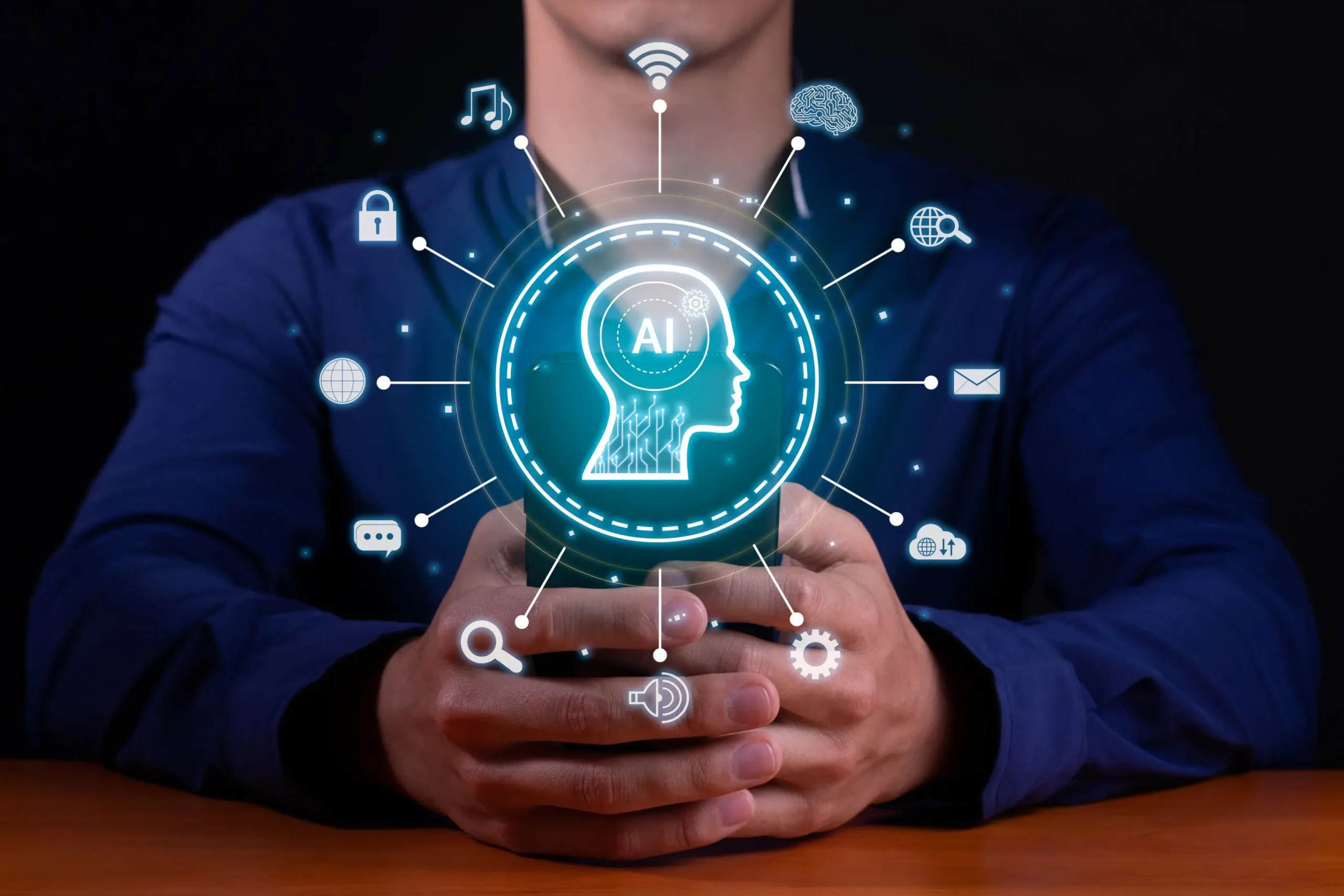
A person in a blue shirt is typing on a keyboard. Digital icons, including a lock, globe, gear, and email, are overlaid on the image, symbolizing cybersecurity and connectivity. Shelves with books are blurred in the background.
To Top